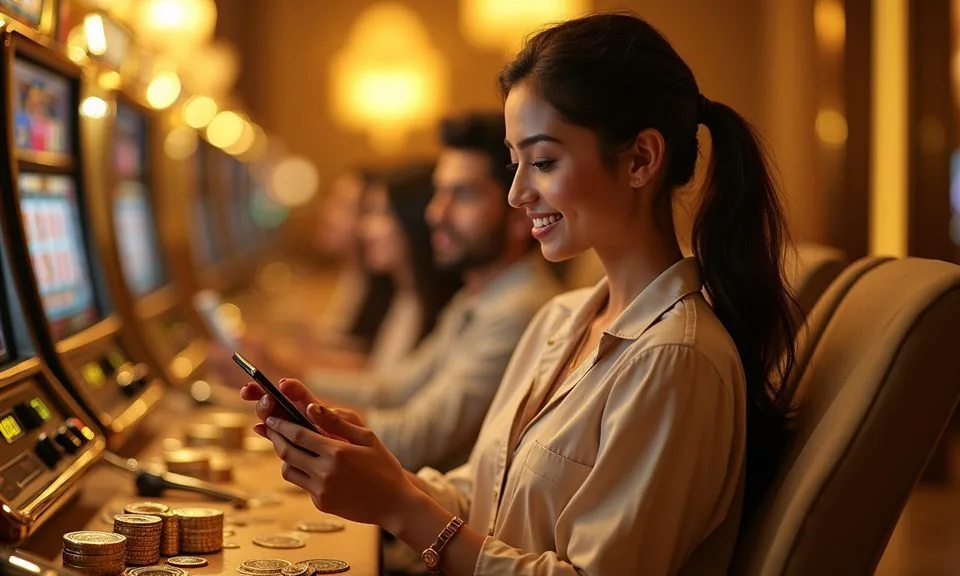
The mx777 site is built for mobile browsers, so you can open the lobby, check your account wallet and browse game rooms directly from your phone without downloading anything. Availability depends on your local law and eligible region.
When you open mx777 on a phone or tablet browser, the page adjusts to your screen size automatically. The navigation bar collapses into a compact menu, and the game lobby — including slots from Pragmatic Play, Bigtime Gaming and the other studios we carry — stays fully browsable.
BROWSER BEHAVIOUR DETAILS
Mobile Access Features Worth Knowing
These four behaviours describe how the mx777 mobile site actually renders on a phone browser. They cover navigation layout, account continuity, game discovery and the help path — so you know what to expect before you open the page on a smaller screen.
Responsive Layout
The page reflows to fit any phone screen without horizontal scrolling. The game rail, account tab and wallet section all stay visible and tappable. You do not need to pinch or zoom to reach the deposit or account area on a standard Android or iOS browser.
Session Continuity
Your account session carries across devices. If you start browsing on desktop and switch to a phone browser later, signing back in picks up your account wallet and transaction history exactly where you left off — no data is lost between screen switches.
Game Discovery on Mobile
The lobby catalog — including titles from Joker, Microgaming and PlayStar — scrolls horizontally on mobile in a compact discovery rail. Tap any card to open the game detail page. RTP information is shown only where the game or studio exposes it directly on that page.
Help Pages Load Fully
Support and FAQ pages render completely in a mobile browser. If you need to check a wallet step, a bKash deposit path or an account recovery option, those pages open without needing a desktop view. No content is hidden behind a native app requirement.
THREE STEPS TO ACCESS
Mobile Access in 3 Steps
There is no APK file to download and no app-store listing to search. The whole mobile experience runs through your phone's browser.
Open mx777
Type mx777 directly into your phone browser address bar. Verify the domain matches exactly before entering any account detail. The page loads without a redirect to a separate mobile subdomain.
Check Browser Compatibility
The site works on current versions of Chrome, Firefox and Safari for Android and iOS. If the layout looks broken, try refreshing or clearing the browser cache. The account area publishes a device compatibility note you can check from the help tab.
Sign In to Your Account
Tap the sign-in button at the top of the page. Enter your registered email and password. Once authenticated, your wallet tab and transaction record become visible immediately. The session stays active until you manually sign out or the browser tab closes.
Browse the Lobby
After signing in, the game lobby loads in a horizontal scroll rail. Use the category filters to move between slots, live casino tables and the sportsbook section. Cricket markets and other sports categories appear under the sportsbook tab.
DEVICE AND BROWSER CHECK
Compatibility — What to Check
Before you rely on mobile access for a live game session, run through these quick compatibility checks. They cover the browser version, screen layout, account requirements and where to find the current device guidance published on the site.
Browser Version
Use a current-version browser — Chrome, Firefox or Safari updated within the last two major releases. Older browser versions may not render the wallet or game lobby correctly. Check your browser's update prompt in device settings if the page layout looks off.
Screen Layout
The site is designed for portrait and landscape phone use. Landscape mode gives more horizontal space for the game rail and live table view. If a game tile is cut off, rotating the screen or zooming out one level usually resolves it without any settings change.
Account Requirements
Mobile access requires a registered and verified mx777 account. You cannot view wallet balances, transaction records or game history without signing in. If your account shows an access restriction, check the account status page or contact support through the published help route.
Device Guidance Page
mx777 publishes a device guidance note inside the account help section. Open it from the mobile help tab to see any current browser or screen-size notes. This page reflects the most recently tested configurations — check it if you are on an older phone model.
Region Eligibility
Access to the lobby and account wallet depends on your local law and eligible region. Bangladesh availability is described on the site's published access page. If the site does not load or returns a region notice, that page explains the current access status for your location.
HELP FOR MOBILE USERS
Support Paths for Mobile Access Issues
If something on the mobile site is not loading correctly — the wallet tab, the sign-in page or a game room — the first step is checking the published help section. From there you can reach the support team through the route shown in your account area.
In-Site Help Section
The help section at mx777 loads fully on mobile and covers wallet steps, account login, transaction records and browser compatibility notes. Open it from the menu icon at the top of any page. It is the first place to check before contacting support directly.
Account Support Route
After signing in, the account area shows the published support contact path. Use only this route to raise a mobile access query, a wallet question about bKash or Nagad, or a sign-in issue. The route shown there is the one the team actively monitors.
Recovery Path for Login Issues
If you cannot sign in on mobile, use the account recovery link on the login page. It follows the same path on mobile as on desktop — enter your registered email and
ACCOUNT SAFETY ON MOBILE
Mobile Trust Checks Before You Start
Using a phone browser for account access introduces a few verification habits worth building. These four checks cover the domain, published device guidance, credential safety and the account recovery path.
Verify the Domain
Always confirm the address bar reads mx777 before entering your sign-in details. Phishing pages sometimes copy a site's look. A quick domain check — especially on mobile where the full URL can be hidden — takes two seconds and protects your account wallet.
Read the Published Device Guidance
The device guidance note in the account help section tells you which browsers and screen sizes are currently confirmed to work. Reading it once means you know which browser to use and what to do if the lobby rail does not load on your specific phone.
Protect Your Account Credentials
Do not save your mx777 password in a shared phone or a browser profile others can access. If you use a public or borrowed device, sign out manually after each session. The account security page lists the credential guidelines the platform publishes for account holders.
Use the Published Recovery Path
If your account is locked or your email is no longer accessible, use only the recovery steps shown on the mx777 login page. Do not follow recovery instructions sent through unofficial channels. The published path is the one the support team can verify and action.
APP ACCESS QUESTIONS
Questions About the mx777 App
These are the questions we see most often from people checking the app and mobile access setup for the first time. Each answer covers only what the site currently publishes — no invented version numbers, file sizes or store listings.
Is there a native mx777 app I can download from the Play Store or App Store?
mx777 does not currently have a confirmed listing in the Google Play Store or Apple App Store. The mobile experience runs through mx777 in your phone browser. Check the account help section for any updated app availability notice, as this may change depending on your region.
Do I need to download an APK file to use mx777 on Android?
No APK download is required to access the lobby or account area. Open mx777 directly in Chrome or any current Android browser.
Can I access my bKash or Nagad wallet through the mobile site?
Yes. Your account wallet — including the bKash and Nagad deposit path — is accessible through the mobile browser. Sign in at mx777, open the wallet tab and the deposit options are shown there. The same transaction record visible on desktop appears on your phone after sign-in.
Which phone browsers work best with the mx777 mobile site?
Current versions of Chrome and Firefox on Android, and Safari on iOS, are the browsers the site is designed for.
Does the mobile site save my login session between visits?
Session handling depends on your browser settings. If your browser is set to remember passwords and keep sessions active, you may stay signed in between visits. For shared or public devices, sign out manually after each session. The account security page covers session behaviour in more detail.
Will the mobile site work if I am outside Bangladesh?
Access depends on local law and the eligible regions for your location at the time of the visit. The published access page on mx777 describes current regional availability. If you are travelling and the site returns a region notice, that page explains what applies to your situation.
 Live / Casino